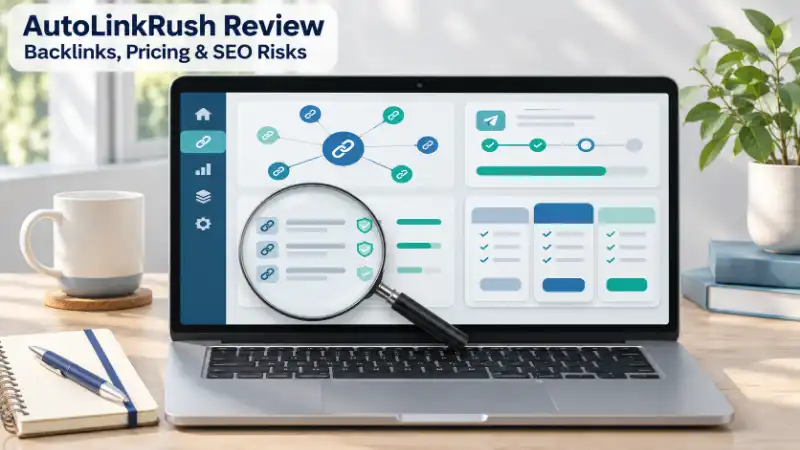
AutoLinkRush says it can create backlinks quickly, but a large number on a dashboard does not show whether those links help your site. If you are trying to get a page indexed or improve rankings, it helps to know what the service actually offers first. This review checks AutoLinkRush’s homepage, pricing page, public placement list, and Google’s published guidance. I reviewed public pages on November 14, 2026; I did not run a paid campaign or test an account.
FIND YOUR AGE - IN YEARS, MONTHS, DAYS, HOURS & SECONDS!
What Is AutoLinkRush Used For?
AutoLinkRush.com is an online SEO backlink service that promotes automated URL submissions and backlink generation. Its homepage says users can enter a URL and keyword, then send that information to ping and backlink services. It also advertises free and paid plans. These are the company’s claims; the page does not prove that each submission becomes a useful backlink.
There is another offer to notice. AutoLinkRush has a public list of websites for guest-post link placements. The list describes the placements as permanent, do-follow links. That is a separate service from submitting a URL through the automated tool, so check which offer a plan includes before you pay.
The basic difference is simple: a URL submission tells other systems that a page exists. A guest-post placement puts a link on a listed website. Neither description alone tells you whether Google will index the page, count the link, or improve a ranking.
Sources: AutoLinkRush homepage · AutoLinkRush placement list
Are AutoLinkRush Backlinks Real and Useful?
“Real” can mean that a URL appears somewhere. “Useful” asks more: Does the link open? Is it on a relevant page? Can readers find it in useful context? Does the page stay available? Is the link marked as sponsored or nofollow?
These checks matter because a dashboard total can count different things. A reported submission, a live link, a referring domain, and an editorial mention are not interchangeable. A thousand reported URLs would not mean a thousand independent websites chose to recommend your page.
AutoLinkRush’s public website list gives you examples to inspect, but its labels and third-party metrics are still claims shown by the seller. Open a sample placement and check the actual page and link before treating the list as proof of SEO value.
Related guide: Linkrify Meaning: What Does Linkrify Mean and What Does It Refer To?
Can AutoLinkRush Get a Page Indexed or Improve Google Rankings?
URL discovery, crawling, indexing, and ranking are different steps. A search engine may discover a URL, crawl it, decide whether to index it, and then decide where—or whether—it should appear for a search. A submission does not guarantee the next step.
Google says a site owner can request a recrawl through Search Console, but that request does not guarantee that a page will enter search results. Google also says repeating the request will not make the page get crawled faster. If your page is missing, check whether it is blocked by robots.txt or a noindex directive, review its canonical tag, add relevant internal links, and check the content before assuming that more submissions will fix the cause.
Indexing also does not mean ranking. A page can appear in Google’s index and still get little search traffic. AutoLinkRush’s reported backlink count is not evidence that rankings will improve.
Source: Google’s recrawl guidance
Related guide: SparkPressFusion.com: What Is It, Is It Legit, and Can You Trust It?
How Much Does AutoLinkRush Cost, and How Many Links Do You Get?
When I checked the public pages on November 14, 2026, AutoLinkRush’s homepage advertised a free plan with up to 50 backlinks, a $3 Basic plan with up to 1,000, and a $15 Premium plan with up to 10,000. Its FAQ also says free users can generate more than 1,000 backlinks.
The dedicated pricing page shows Free, Basic at $3, Pro at $8, and Premium at $15. But it lists “3 backlinks in multiple sites” for each plan. That does not match the larger numbers on the homepage. The pages also describe one-time payments and lifetime access, but the conflicting link limits make the exact deliverable unclear.
Before paying, ask the service to confirm in writing how many placements or submissions your plan includes, whether the count is per URL or account, and what it means by “backlink.” Save the answer and the plan details shown at checkout. Prices and offers can change.
Source: AutoLinkRush pricing page
Related guide: Troozer.com Review: What Is It and Is It Legit?
Is AutoLinkRush Legit and Safe for SEO?
The website is publicly accessible and describes an SEO service. That confirms what the site presents, but it does not establish the company’s ownership, independent customer results, or the quality of every link. Treat “legit” and “effective” as separate questions.
There is also a difference between website security and SEO risk. This review did not run a malware scan or security audit, so it cannot certify the site as safe to visit or use. For SEO, Google lists using automated programs or services to create links as an example of link spam when links are created to manipulate rankings. Google also says paid links for advertising or sponsorship should use rel="sponsored" or rel="nofollow" so they do not pass ranking credit.
That policy does not prove that every user will receive a penalty. It does mean that you should examine how a link is placed and marked, especially before using automated links or paid do-follow placements on a business or client website.
Source: Google Search spam policies
Related guide: BrumeBlog.com: What It Is, What It Covers, and Should You Trust It?
How Can You Check Whether AutoLinkRush Links Are Useful?
Judge the links you can inspect, not only the number in a report. If AutoLinkRush gives you a results list, pick a small sample and check each item:
- Open the source page and confirm it loads without an unexpected redirect.
- Find the link and make sure it points to the correct page on your website.
- Check whether the link is visible and clickable, and whether nearby content gives it a clear context.
- Look at the page topic, its other outbound links, and whether the placement is a guest post, directory entry, footer, or ping page.
- Check the link’s
relattribute, such assponsoredornofollow, where you can inspect it. - Recheck later to see whether the source page and link remain available.
For your own website, use Search Console to review indexing status and search performance. Record the page’s starting impressions, clicks, and rankings before a campaign. If numbers change afterward, note the timing, but do not assume the links caused the change; other site updates may have contributed.
Related guide: FeedBuzzard.com: What Is It and Can You Trust What You Find There?
What Should You Use Instead of AutoLinkRush for Your SEO Goal?
Choose the method that fits the problem. If Google has not found a new page, make sure it is publicly accessible, link to it from relevant pages on your site, include it in your sitemap, and use Search Console’s URL Inspection when appropriate. None of these steps guarantees indexing, but they help you check the page through Google’s own tools.
If you want stronger search authority, focus on useful content that relevant publishers have a reason to mention. A contextual reference chosen by an editor is different from a mass-generated submission. For paid placements, review the page’s topic, audience, placement, and link qualification before buying.
Avoid treating backlink volume as a substitute for fixing technical SEO, improving a page, or earning relevant mentions. Start with the result you need, then choose a method you can verify.
AutoLinkRush FAQs
Is AutoLinkRush free?
Its homepage and pricing page list a free plan. The pages differ on the number of backlinks included, so check the current terms before using or paying for a plan.
Does AutoLinkRush guarantee Google indexing?
No. A URL submission or recrawl request cannot guarantee that Google will index a page.
Do I need to install software to use AutoLinkRush?
The homepage describes the service as web-based and says users do not need to install software. Check the current site before creating an account.
Is AutoLinkRush a backlink checker?
Its site presents it as a backlink and URL-submission service. A backlink checker analyzes links that point to a site; that is a different task from creating or submitting links.
Final Review
AutoLinkRush advertises automated URL submissions and separate paid link placements, but its public pages do not agree on how many backlinks each plan includes. A reported link count does not prove relevance, indexing, or better rankings. Before paying, confirm the exact deliverable and inspect real placements. For important websites, weigh Google’s link-spam guidance and use methods that match your goal and that you can measure.
BMI & BMR CALCULATOR - CHECK YOUR HEALTH