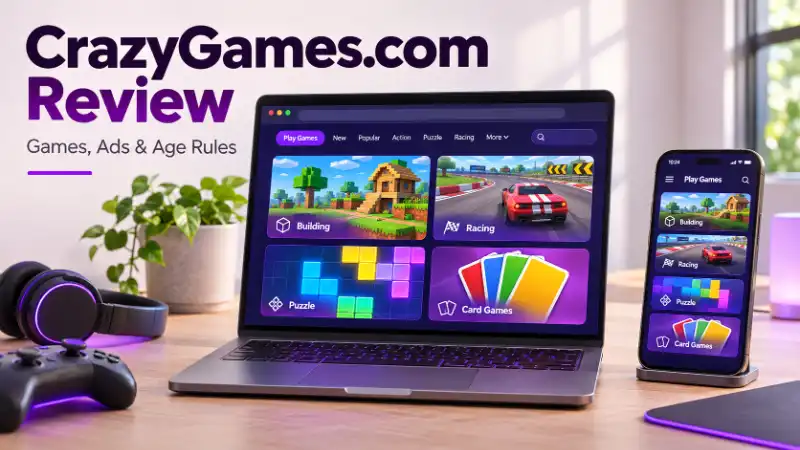
Want to play on CrazyGames.com but unsure about ads, age limits, or whether you have found the right game? A familiar name can still lead to a different version, and a blocked page can make things more confusing. This review explains the games, costs, safety checks, kids’ site, accounts, saved progress, mobile options, and loading problems so you can decide what fits your needs.
FIND YOUR AGE - IN YEARS, MONTHS, DAYS, HOURS & SECONDS!
What Is CrazyGames.com?
CrazyGames.com is a browser gaming platform where you can choose a game and play through a web page. It brings games from different developers together, rather than acting as one single game.
The main site is for users aged 13 and older. You can browse its categories, search for a title, and check each game’s controls and supported devices before playing.
Who Owns CrazyGames?
Maxflow B.V., a Belgian company, operates CrazyGames. Raf Mertens founded the platform.
The operator and a game’s developer are not always the same. Check the developer name on the individual game page when you want to know who made it.
What Games Can You Play on CrazyGames?
CrazyGames games cover several styles. Choose a category based on the experience you want:
| What you want | Categories to explore |
|---|---|
| A slower solo game | Puzzle, card, board, and casual games |
| Fast action | Driving, racing, action, shooting, and sports games |
| Competition or shared play | Multiplayer, .io, and two-player games |
A category tells you the general style. The game page tells you about controls, modes, and device support.
CrazyGames Bloxd.io, UNO, and Guess Who: Which Games Are These?
These searches can lead to titles whose current names differ from their page addresses.
| Your search | Current listing | What to know |
|---|---|---|
| CrazyGames Bloxd.io | Bloxd.io | Its page address still includes “bloxdhop-io”; the listing covers several game modes |
| CrazyGames UNO | Four Colors | The “uno-online” address displays an UNO-inspired card game |
| CrazyGames Guess Who | Guess Who Online | Its description offers online play or play against the computer |
Four Colors should not be described as the official Mattel UNO game simply because an old address says “uno.” For Paper.io searches, check the exact current listing and developer before assuming you found a particular version. Like UNO Online🃏Play on CrazyGames
Is CrazyGames Roblox?
No. CrazyGames and Roblox are separate platforms.
For example, CrazyGames lists Steal Brainrot Online, developed by Playme. A search for “CrazyGames Steal a Brainrot” does not prove that the result is the original Roblox experience.
The same care applies to Among Us searches: compare the exact title, developer, and platform. Do not assume similar games share accounts, purchases, or progress.
What Are CrazyGames Originals?
CrazyGames Originals is a label and collection within the platform. Use it to explore that selection, then check each game’s developer and features. The label does not mean CrazyGames created every game elsewhere on the site.
Related reading: QuikConsole.com Explained: Features, Reviews, and Safety
Is CrazyGames.com Safe?
CrazyGames is an identifiable gaming platform, but that does not make every game, ad, or outside link risk-free.
Start with three checks: confirm the address, notice unexpected software requests, and check where an outside link leads. A familiar logo on a lookalike website does not establish that it belongs to CrazyGames.
Use the exact official domain as your starting point. If a page requests an unrelated extension, installer, or sensitive permission, pause and verify why it needs it.
Can CrazyGames Give You a Virus?
Ordinary browser play does not require a separate installer for each game. That avoids installing an unfamiliar game program, but it cannot guarantee zero security risk.
Loading game files inside a browser, installing the official mobile app, and running an unexplained installer are different actions. Keep your browser updated and verify unexpected download prompts before accepting them.
Related reading: Clicxyz.com Review: Facts, Login, and Safety Questions
Is CrazyGames Safe for Kids?
For children under 13, the main CrazyGames site is not the intended option. The platform directs younger children to its separate Kids site.
For teens who meet the main site’s age rule, parents should still preview the chosen game. Check its themes, interactions, and spending features. An age requirement tells you who may use a platform; it does not rate every game for your child.
CrazyGames vs. CrazyGames Kids: What Is the Difference?
The two experiences have different features, according to the official Kids information for parents.
| Feature | Main CrazyGames site | CrazyGames Kids |
|---|---|---|
| Intended audience | Ages 13 and older | Children under 13 |
| Login | Optional platform accounts | No user login |
| Chat | May be available in individual games | No chat system |
| Purchases | Optional purchases in some games | No in-game purchases |
| Advertising | Ads support free play | Contextual ads; no personalized advertising |
Parents should open the Kids destination themselves and preview the game. Set a clear stopping time and tell children to ask for help if something makes them uncomfortable. CrazyGames Kids Site
For teacher-led learning games, see: Gimkit Host: How to Host a Live Game
Is CrazyGames Free?
Yes, CrazyGames offers free-to-play games. However, free access does not mean every extra item costs nothing.
The CrazyGames terms explain that some games offer optional virtual currency or virtual items. They also describe purchases facilitated through Xsolla.
Before paying, check the item, price, payment provider, and refund terms. A “Premium Perks” label alone does not establish a site-wide subscription or an ad-free plan.
Why Does CrazyGames Have Ads?
Advertising helps fund free access. Games may include regular ad placements and rewarded ads, where you choose to watch an ad for an in-game benefit.
A rewarded ad is different from buying an item with money. Read the offer before selecting it, and do not assume every advertisement is optional.
Can You Play CrazyGames Without an Account?
Yes. Guest access lets you play without creating a CrazyGames account. An account can add features such as a shared profile and supported progress syncing.
Check the specific game before deciding whether to sign in. Guest access is useful for trying a game, while an account may matter more if you plan to continue a longer game on another device.
Does CrazyGames Save Progress?
It can, but the save method depends on the game and its integration.
The official account documentation describes local guest saves and methods for linking progress to a CrazyGames account. Supported cloud saves can help you continue across devices.
Before clearing browser data, check whether your progress is backed up. A save stored only in that browser may disappear when site storage is deleted. Signing in later does not guarantee that missing progress can be restored. CrazyGames Documentation
Does CrazyGames Collect Personal Data?
Yes. Playing without an account does not mean the website processes no information about your visit.
The CrazyGames privacy policy describes account information, device and usage data, cookies, and advertising-related processing. The details depend on how you use the platform and your choices.
Externally hosted games may also have their own privacy notices. Check those notices before sharing information or creating an additional game account, and avoid putting your real name or contact details in a public username.
What Privacy Choices Does CrazyGames Offer US Users?
Look for the site’s privacy preferences and “Do not sell my data” option. The policy’s US section explains choices that can depend on your state and circumstances.
Review those options before playing. Signing out is not a substitute for checking advertising and privacy preferences. CrazyGames
For related reading about technology and online-safety content: Webtosociety.com Explained
Can You Play CrazyGames on Mobile or Chromebook?
Yes, CrazyGames offers browser play across desktop and mobile devices, along with iPhone, iPad, and Android app options. The individual game’s requirements still matter.
Before opening a game, check whether it supports touch, keyboard, or mouse controls. A game that needs desktop controls may not suit a phone. On a school-managed Chromebook, device settings and network rules may also limit access.
Does CrazyGames Work Offline?
The app supports downloading games for later offline play, according to the official app documentation. Check that your chosen game offers the download option before relying on it.
Do not assume a normal browser session will work without internet access. Multiplayer, online leaderboards, and purchases need a connection even when a downloaded game has an offline mode. CrazyGames Documentation
For the difference between third-party APK sources and official app routes, read: Barapk Org Explained: Downloads and Safety
Why Is CrazyGames Blocked at School?
A school may restrict gaming through its network or managed devices. That restriction is different from a malware warning or a site outage.
If you searched “CrazyGames.com unblocked,” no website can promise that one address will work on every school network. Read the block message and ask the teacher or administrator whether access is allowed.
Avoid treating an unfamiliar mirror as official because it loads. Use an approved gaming activity or return to the official site when you have permitted access.
Why Is CrazyGames Not Working?
First, check the scope: does the whole website fail, just one game, or only one device? That answer helps you choose the next step without changing settings that were working.
Why Does CrazyGames Say “Refused to Connect”?
“Refused to connect” does not identify one universal cause. The message can appear in different connection or embedding situations.
If you reached an embedded game through another website, try its official CrazyGames page directly where access is permitted. Record the address and exact error. If you see a school or workplace block page, ask the administrator about that restriction.
Why Is a CrazyGames Game Not Loading?
Compare what works before trying a broad reset.
| Symptom | Useful next check |
|---|---|
| One game fails, others open | Check that game’s device support and report its URL |
| The whole site fails | Check your connection and any displayed network restriction |
| The page opens but the game stays blank | Update the browser and try a supported browser or device |
| Progress disappears | Check the account and save method before deleting more site data |
Include your device, browser, game address, and error message when reporting a persistent problem. Check saved progress before clearing cookies or site storage.
BMI & BMR CALCULATOR - CHECK YOUR HEALTH
FAQs
Can You Play CrazyGames With Friends?
Yes. Choose a game that supports online friends or local two-player play. Room links, invitations, and account requirements vary, so follow that game’s instructions rather than expecting one method across the platform.
Why Can’t I Find a Game on CrazyGames?
Check its current title, the site’s search results, and device support. A changed name or missing listing needs a fresh check. It does not, by itself, explain why a game disappeared.
Does CrazyGames Require a Download?
Browser play usually avoids a separate game installation, although your browser still loads game files. Installing the mobile app is a separate choice, and saving a game for offline app use requires a download.
Final Review
CrazyGames.com can suit teens and adults who want varied browser games and accept advertising and game-specific limits. Its strengths are easy access and choice; the main things to check are the exact game, optional spending, controls, and save support.
For children under 13, start with CrazyGames Kids and parental review. For offline sessions or school devices, confirm the game’s features and permitted access first. Those checks make the choice much clearer than a blanket “safe” or “unsafe” label.