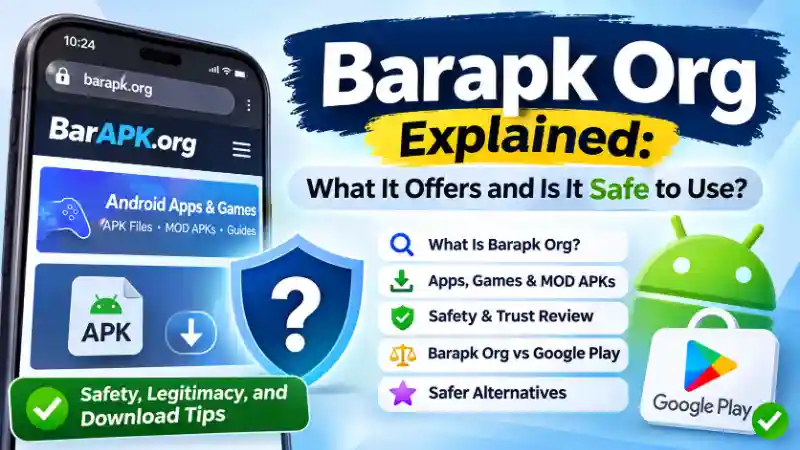
You may have come across Barapk Org while looking for an Android app, a mobile game, or an APK file that isn’t easy to find on Google Play. The name sounds like an app download website, but there’s more to it than that.
Hi, I’m Mushtaq. I spend time researching websites that people discover through Google, especially when it’s hard to tell what they actually offer. Barapk Org caught my attention because it mixes Android apps and gaming content with articles about technology, business, and other subjects.
That raises a fair question: Is Barapk Org a useful website, or should you be careful before downloading anything from it?
I checked the website’s public pages, looked at independent security reports, and compared its approach with safer Android app sources.
Here’s what I found and what you should know before using it.
FIND YOUR AGE - IN YEARS, MONTHS, DAYS, HOURS & SECONDS!
What Is Barapk Org?
Barapk Org (barapk.org) is a third-party website focused on Android apps, APK files, mobile games, and related guides. It also publishes articles about technology, business, finance, and other general topics.
According to its About Us page, the website aims to help people find Android applications, learn about their features, and access APK downloads.
That’s how the website describes itself. It doesn’t automatically mean every file listed or linked there has been independently tested.
Barapk.org is also not an official Google service or part of the Google Play Store.
You can visit the website to read about apps and games, but downloading software from an unfamiliar source is a different decision.
Is Barapk Org an APK Store or a General Blog?
This is where the website can be a little confusing.
Its name and description suggest a place for downloading Android apps. But when you look at its homepage, you’ll find more than APK listings.
The site includes categories such as:
- Business Insights
- Finance and Investment
- Marketing and Sales
- Resources and Tools
Some articles discuss Android games and video editing apps. Others cover subjects that have little to do with downloading software.
So, calling Barapk Org a dedicated Android app store would not give you the full picture.
A better description is a mixed-content website that publishes APK-related information alongside general blog articles.
That distinction matters because finding an article about an app doesn’t necessarily mean the website has a working, verified download for it.
What Does APK Mean on Android?
APK stands for Android Package Kit. It’s a file format used to distribute and install Android applications.
Think of an APK as an installation package for an app.
When you install an app through Google Play, the store usually handles the download and installation for you. With a separately downloaded APK file, you may need to install it yourself.
This process is commonly called sideloading.
Android supports installing apps from sources outside Google Play, but you need to trust the source. A harmful APK can contain unwanted code even when its file name looks normal.
That’s why the origin of an APK matters more than the website’s appearance.
What Can You Find on Barapk Org?
If you’re visiting Barapk Org for a particular app, knowing what the website actually publishes can save you some confusion.
Its content covers several different areas.
Android Apps and Mobile Games
Barapk Org features articles about Android applications and popular games.
Examples found on its homepage include:
- GTA Vice City MOD APK
- Black Desert Mobile MOD APK
- LMC 8.4 APK
- Alight Motion-related content
- InShot editing guides
These are examples of subjects discussed on the website, not recommendations to download the files.
Some posts explain app features or discuss modified versions. Others focus on installation or editing tips.
Before following a download link, check whether the page provides an actual file, sends you to another website, or simply explains how an app works.
Modified APKs and App Guides
You may notice the term MOD APK in several gaming-related titles.
A MOD APK is a modified version of an Android application. Someone has changed the original software, sometimes to add features or remove restrictions.
For example, a modified game might claim to offer unlimited coins, unlocked levels, or extra features.
That may sound appealing, especially when the original game requires time or payment to access certain items.
But there’s a problem.
A modified app isn’t necessarily approved by the original developer. You may not know who changed the code or what was added.
Possible problems include malware, stolen account information, broken updates, and gaming-account restrictions.
Not every modified APK contains malware, but its safety cannot be assumed from the description alone.
Technology, Business, and Other Articles
Barapk Org also publishes content about business, marketing, finance, gaming culture, and online tools.
For example, you may find an article about a mobile game next to a post discussing financial technology.
This mixed approach helps explain why the website doesn’t always look like a traditional Android app marketplace.
If you arrived from Google expecting a specific APK download, check the individual page carefully rather than assuming every article is a software listing.
How Does Barapk Org Work for Visitors?
You don’t need special technical knowledge to browse Barapk Org.
The website uses a blog-style layout with content categories and individual articles. Visitors can open posts about apps, games, or other subjects.
However, reading an article and installing an app are two separate activities.
A typical visitor might search for an Android game, open a Barapk Org article about it, read the details, and then look for a download option.
The important part is knowing what happens when a link is selected.
Does it provide a file directly? Does it open another website? Or does it lead to more instructions?
These details can vary between pages and should be checked individually.
How to Tell an APK Article From a Real Download Page
Suppose you search for an older version of a video editing app.
You open a page showing the app’s name, version number, features, and installation instructions.
At first, it looks like a download page.
But those details alone don’t prove that a verified APK file is available.
Before downloading, look for the original developer’s name, the actual file source, the version number, and any information showing how the file was checked.
Be careful with buttons that redirect you through unrelated websites or ask you to install something else first.
If you cannot identify the source of a file, the safest option is not to install it.
Is Barapk Org Safe to Use?
Barapk Org has concerning security signals, and its APK downloads should not be treated as verified or safe. Independent security services have reported different findings, including several warnings in late 2026. These reports do not prove that every file on the website is harmful, but they provide good reasons to avoid downloading unverified software.
There’s also an important difference between reading a website and installing an application from it.
Opening a page may expose you to suspicious links or redirects. Installing an APK can introduce additional risks because the software may request access to your phone.
What Independent Website Checkers Report
I reviewed publicly available reports from Gridinsoft, ScamAdviser, and PCrisk.
The findings were not identical.
| Security service | Reported result | Assessment |
|---|---|---|
| Gridinsoft | 64/100 | Mixed signals; verification recommended |
| ScamAdviser | 0 trust score | Low-trust warning indicators |
| PCrisk | 22/100 | Potentially suspicious; 7 of 93 engines flagged the domain |
Gridinsoft’s assessment was dated September 18, 2026.
PCrisk’s November 4, 2026 scan reported that seven security engines had flagged the domain. Its report also noted suspicious linked resources and other warning signs.
ScamAdviser displayed a low trust score and reported security-related concerns.
These services use different methods, so their scores shouldn’t be averaged or treated as identical measurements.
Security reports can also change. A warning from one date may not match a scan performed later.
More importantly, a website-level scan is not the same as inspecting every APK file available through that site.
Still, when several independent sources raise concerns, ignoring those warnings is not a sensible choice.
Why HTTPS Doesn’t Guarantee Safe Downloads
You might notice a padlock icon or an HTTPS address when visiting Barapk Org.
That’s useful, but it doesn’t answer the full safety question.
HTTPS helps encrypt information sent between your browser and a website.
It does not guarantee that the website operator is trustworthy, that a download is genuine, or that an APK contains no harmful software.
Even a suspicious website can have a valid SSL certificate.
So, don’t use the padlock as your only reason to trust a download.
What Makes Third-Party APK Downloads Risky?
Downloading an Android app outside an official store isn’t automatically dangerous. Some developers distribute legitimate apps through their own websites.
The real issue is whether you can trust the file and the person providing it.
Common APK security risks include:
- Malware: Harmful software may steal information or interfere with your phone.
- Changed app code: A repackaged APK may behave differently from the original application.
- Unnecessary permissions: An app might ask for access to contacts, messages, files, or other private data without a clear reason.
- Missing updates: Manually installed apps may not receive the same automatic updates as store-installed versions.
- Fake downloads: A misleading button may send you to an unrelated website or unwanted installer.
Be especially careful with modified games and apps that promise paid features for free.
If an offer seems too good to be true, verify it through the original developer before proceeding.
Is Barapk Org Legit, and Who Runs It?
It’s reasonable to ask whether Barapk Org is a legitimate website or a scam.
The answer needs some care.
The website is an accessible domain with published articles and contact information. But having a working website doesn’t establish that its downloads are trustworthy.
Public domain information shows that barapk.org was registered on December 1, 2024, through Spaceship, Inc.
That tells us when the domain was registered and which registrar handles it.
It does not tell us who actually operates the website.
The site’s public pages provide contact details, but I could not independently verify a clearly identified legal business operator or a third-party audit of its APK verification process.
That missing verification matters when a website may distribute software.
Does the .org Extension Mean the Website Is Official?
No.
The .org extension is available for many kinds of websites. It doesn’t automatically mean an organization is nonprofit, officially approved, or independently checked.
A website’s trustworthiness depends on its operator, behavior, security practices, and reputation, not just its domain extension.
So, Is Barapk Org a Scam?
There isn’t enough verified information to label every part of Barapk Org a scam.
At the same time, the security warnings and limited independent verification mean it shouldn’t be treated as a trusted app-download provider.
You can read publicly available information about the site, but I would avoid installing APKs obtained through it.
For Android apps, an official developer source or Google Play is a better starting point.
What Should You Check Before Downloading an APK?
Maybe you need an Android app that isn’t available in your usual app store.
That can happen. Developers sometimes provide direct APK downloads, and certain older app versions may be available through other sources.
But before installing anything, a few simple checks can prevent a lot of trouble.
Confirm the App’s Original Developer
Start by finding the official developer.
Check the app name, publisher, and developer’s website.
If you find the same application on Google Play, compare the developer information with the APK listing you’re considering.
Be cautious if the names don’t match or if the page doesn’t explain where the file came from.
For a sensitive app, such as a banking or payment application, use the official provider’s approved distribution channel.
Check the File, Version, and Permissions
An unfamiliar APK should never be trusted just because its name looks right.
Check its version number, file source, and digital signature information when available.
A trusted file-scanning service can provide an additional warning if known malware is detected. But a clean scan doesn’t prove the file is harmless.
Some scanners also upload submitted files to security providers, so avoid submitting private or sensitive software packages without understanding how the service handles them.
Once an app is installed, review the permissions it requests.
For example, a basic calculator usually has no clear reason to read your text messages.
If an app asks for access that doesn’t match its purpose, that’s a warning sign.
Keep Google Play Protect Enabled
Google Play Protect is a security feature for Android devices that support Google Play services.
It checks apps for potentially harmful behavior, including apps installed from sources outside Google Play.
To check the setting:
- Open the Google Play Store.
- Tap your profile icon.
- Select Play Protect.
- Open its settings.
- Make sure Scan apps with Play Protect is enabled.
Google recommends keeping this protection turned on.
However, no malware scanner catches every possible threat. Play Protect should be one part of your safety checks, not a reason to trust an unknown file.
Know When to Avoid the Download
Sometimes the smartest decision is simply to leave the file alone.
Avoid installing an APK when you cannot verify its developer, the download sends you through unrelated websites, or the app asks for unexpected sensitive permissions.
Be careful if a website tells you to disable security protections before installation.
If you really need the app, search for an official download instead.
You don’t need to take an unnecessary risk just to try a mobile game or editing tool.
Barapk Org vs Google Play: What’s the Difference?
Both Barapk Org and Google Play are associated with Android applications, but they don’t offer the same level of verified distribution.
Here’s a simple comparison.
| Feature | Barapk Org | Google Play Store |
|---|---|---|
| Main purpose | APK-related content and general articles | Official Android app distribution |
| Google-operated | No | Yes |
| Developer verification | Not independently established for its APK content | Google developer and app policies apply |
| App scanning | Individual file safety not confirmed | Play Protect and app review systems |
| Automatic updates | Not established across its downloads | Supported for store-managed apps |
| Modified APK content | Appears in some posts | Subject to Google Play policies |
| Recommended use | Research with caution | Preferred starting point for app installation |
Google Play isn’t perfect. Harmful apps can sometimes pass security checks.
But it provides an established system for developer accounts, app policies, updates, and security reviews.
That’s a meaningful difference from downloading an unknown APK through a third-party website.
If an app is available through Google Play, there’s usually little reason to search for an unofficial modified copy.
Safer Alternatives to Barapk Org
If you’re looking for a mobile game, editing app, or Android utility, you have other choices.
The best alternative depends on what you’re trying to download.
Google Play Store
For most Android users, Google Play Store should be the first place to check.
It’s convenient for regular apps and games and provides built-in installation, updates, and security features.
You can also review the developer’s information, app permissions, and user feedback before installing.
Official Developer Websites
Some software developers provide Android APK files directly from their websites.
This can be useful when an application isn’t distributed through Google Play.
The key is making sure you’re visiting the real developer’s website, not a lookalike page.
When possible, follow official links from the developer’s verified accounts or existing app listings.
APKMirror
APKMirror is a third-party website known for providing Android app packages, including older versions of certain apps.
It publishes information about its verification approach, but it is still separate from Google Play.
You should verify the app version and developer and avoid treating a third-party source as risk-free.
F-Droid
F-Droid focuses on free and open-source Android applications.
It can be a useful option if you’re looking for open-source utilities and apps.
Because its catalog is different from Google Play, you won’t find every popular commercial game there.
For any alternative source, continue checking the app’s origin, permissions, and update process.
What If You’ve Already Installed an APK From Barapk Org?
If you’ve already installed an APK from Barapk Org, don’t assume your phone is infected.
But because the website has concerning security reports, it’s worth checking the application.
Start with the simple steps below.
1. Run a Google Play Protect Scan
Open Google Play, go to Play Protect, and start a scan.
If Google identifies a harmful app, follow the warning and remove it.
2. Review Recently Installed Apps
Open your phone’s Settings and look at installed applications.
Check for unfamiliar apps, strange names, or software you don’t remember adding.
If you’re unsure about an application, verify its developer before opening it again.
3. Remove Suspicious Applications
Uninstall apps that appear harmful or that you can’t verify.
If an app resists removal, check whether it has device administrator privileges or other special access.
Google also provides instructions for removing problematic apps using Android’s Safe Mode when necessary.
4. Check Your Accounts
If you entered a password, payment details, or other private information into a suspicious app, secure the affected accounts.
Use a trusted device to change passwords if you believe they may have been exposed.
Enable two-factor authentication where available.
5. Update Your Phone
Install available Android security updates and app updates.
Keeping your device updated helps protect against known security problems.
If suspicious behavior continues, contact your phone manufacturer or a trusted technical support provider.
These steps don’t prove that every possible threat has been removed, but they provide a sensible starting point.
Frequently Asked Questions About Barapk Org
Is Barapk Org Free to Use?
Barapk Org presents itself as a source of free Android apps, games, and APK-related information. Its public articles can be accessed without a visible reading fee.
However, a free article doesn’t guarantee that every linked download is free, available, or safe.
Always check the actual download destination before proceeding.
Does Barapk Org Require an Account?
I couldn’t verify a general account requirement for reading Barapk Org’s public articles.
Individual downloads or external services may work differently.
If a page suddenly asks you to register, provide payment information, or enter sensitive details, verify why that information is needed before continuing.
Is Downloading MOD APKs Legal?
The legality of a MOD APK depends on the software, the rights involved, and how the modified version is distributed or used.
In the United States, copyright law, software licenses, and the application’s terms of service may all matter.
Downloading a modified app isn’t automatically legal just because the file is freely available.
Modified games can also violate publisher rules and lead to account restrictions.
When in doubt, use the developer-approved version.
Does Barapk Org Update Apps Automatically?
I couldn’t verify a site-wide automatic update system for APKs obtained through Barapk Org.
Apps installed from standalone APK files may need updates from their original developer or another supported distribution source.
Don’t assume an app will stay current simply because its download page lists a recent version.
Can an APK File Harm an Android Phone?
Yes, a harmful APK can potentially affect your Android device.
An APK is just an installation format, so not every APK is dangerous.
The risk comes from what the software contains, who created or modified it, and which permissions it receives.
That’s why using a trustworthy app source matters.
Should You Use Barapk Org?
Barapk Org may help you find articles about Android apps, mobile games, APK files, and other technology topics.
But reading information on a website is not the same as trusting its downloads.
The site’s mixed content, unclear independent verification of its software files, and security warnings from multiple scanners raise concerns.
My recommendation is simple: You can research the website’s content with caution, but avoid installing APKs from Barapk Org unless their origin and integrity can be independently verified.
For most people, Google Play or the original developer’s website is the safer choice.
And if a download looks suspicious, you don’t have to take the chance. Finding a trustworthy version is worth more than getting an app a few minutes sooner.
BMI & BMR CALCULATOR - CHECK YOUR HEALTH









1 thought on “Barapk Org Explained: What It Offers and Is It Safe to Use?”